
HomeFor partnersPartner categoriesService Centres
Partner network
Bring your service centre into theconnected mobility ecosystem.
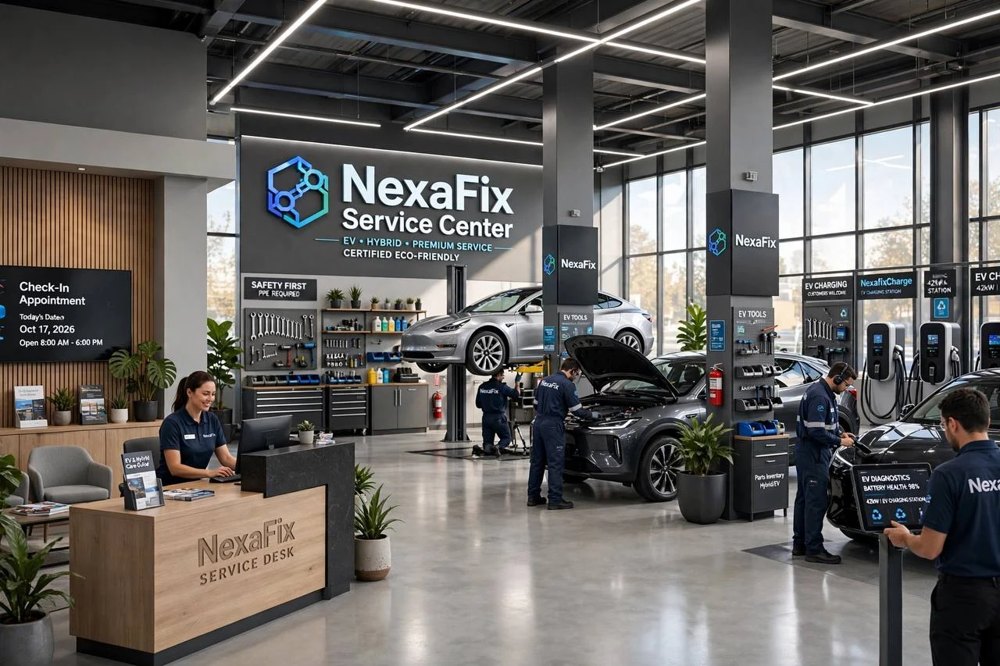
NexaFix helps workshops and service centres become easier for EV and hybrid owners to find, receive service requests and keep customer jobs in one place.
01 · About this partnership
Why partner with NexaFix?
EV and hybrid owners in Ghana are looking for workshops they can trust. As a NexaFix service partner you appear to owners who need maintenance, diagnostics or repairs, and you decide which requests to accept.
What you need to join
- Your business name, area and a private phone number
- The services you offer, picked from a ready list
- Your opening hours
- A login (email or Google). A registration number is optional
NexaFix reviews every business before owners can see it. You can log in and set up while you wait.
02 · How it works
Three simple steps.
Open each step to see what happens.
1Join
Create your business account and choose Service Centre. It takes a few minutes, and you can start on your phone or computer.
2Set up
Add your services, area and opening hours. You can edit them later in your dashboard.
3Connect
NexaFix checks your business. Once approved, owners can find you, and their service requests arrive in your dashboard to accept or decline.
03 · Benefits of partnering
What you get.
Be found
Appear on the Nexa Map and in search for owners in your area.
Receive service requests
Owners send the service, their car and the time they want. You accept or decline, with a reason.
Manage it in one place
A dashboard for new requests, accepted jobs and your services and hours.
Look trusted
Every business is checked before it goes live, and approved partners carry a badge.
Customer privacy built in
You see the job and the car, not the owner's phone number or address.
04 · Explore the partner dashboard
See how it would work for you.
A sample of the dashboard you get after you sign up. Click through the tabs. It uses placeholders, no real customers or numbers.
Owners see your business like this. These are placeholders, not a real business.
Each request shows the service, the car and the time asked for.
Decline with one of five ready reasons. Jobs are run in the NexaFix Business app once accepted.
Built from the requests you accepted: name, cars and number of bookings.
Phone numbers, emails and home addresses stay private.
05 · Questions
Quick answers.
Do owners see my customers' details, or do I see theirs?
You see the job: the owner's name, their car, the service, area, time and note. Phone numbers, emails and home addresses stay private.
Can I change my services and hours later?
Yes. In your dashboard, open Settings to edit your details, services and opening hours at any time.
Can I use my phone?
Yes. The same login works in the NexaFix Business app and on the website dashboard.
Ready to connect with NexaFix?
Take the next step.
Create your account when you are ready. NexaFix checks your business, and then owners can find you.